
SPS 2019
Changeover aid for switch cabinets and small enclosures
Rittal's small enclosures and compact enclosures are used millions of times around the world. With the introduction of the new AX and KX series, users benefit from numerous advantages. Rittal is offering a wide range of support services to help them switch their applications to the new series as easily as possible and benefit from the advantages of consistent data.
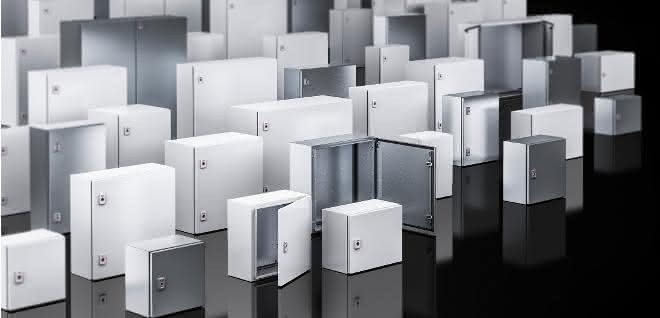
With the new AX compact enclosures and KX small enclosures, users have the right version for every task. 30 percent less assembly time, 30 percent more space for cables and 30 new functions - these are the main advantages of the new series. To make the changeover to the new small enclosures and compact enclosures as easy as possible for its customers, Rittal offers various support options. For example, a conversion aid based on parts lists in Excel is available online. Users can upload an existing parts list - for example from an existing project - to the website and receive a correspondingly translated parts list with the new AX or KX components.
For users who use the Eplan Data Portal for their projects, there is another convenient option that uses the new shopping cart function of the Eplan Data Portal. You can upload a complete project parts list to the shopping cart of the Data Portal. All Rittal components, including the associated macros for the new enclosures and compact enclosures, are then available in your article database. This saves the user a lot of time compared to individual downloads.
Migration tool in the Rittal Configuration System
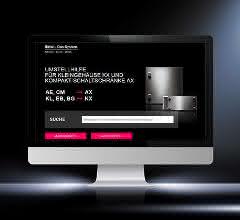
Customers who configure their enclosures and compact enclosures with the Rittal Configuration System also have a convenient changeover aid at their disposal. The configurator works on the basis of electronically stored sets of rules. A plausibility check prevents incorrect or unsuitable accessories from being displayed at all.
The mechanical processing - for example, cut-outs for filter fans - are also created directly in the Rittal Configuration System. Users who have already configured projects in this way can simply upload the existing configuration to the new migration tool. After starting the tool, a traffic light system provides a quick overview: green means that all necessary components have been transferred to the new configuration. If the symbol is yellow, the user should check the configuration. For example, cut-outs that were previously placed in the middle of the door may have been slightly shifted due to different dimensions. Red means that the plausibility check of the Rittal Configuration System has detected problems. These are usually collisions between components. With just a few mouse clicks, the user can correct the configuration and make any necessary additions. In addition to the 3D model of the new AX compact enclosure or the KX small enclosure, a parts list and the processing programs for the mechanical processing machines are also available for download.
SPS: Hall 3c, Stand 430 and 431


You might also be interested in
ebm-papst is growing again thanks to AI and data centers
ebm-papst returned to a growth trajectory in fiscal year 2025/26. Air Technology, data center applications, and artificial intelligence are driving revenue and investment.
 read more...
SPE on the Verge of a Market Breakthrough
Single Pair Ethernet (SPE) has moved beyond the conceptual phase and is increasingly being implemented in industrial settings. The focus here is not only on higher data rates and simplified cabling, but above all on the issue of system integration...
read more...More than 900 exhibitors already registered
Around six months before the start of the trade fair, more than 900 companies have registered for SPS 2026 in Nuremberg. The trade fair focuses on industrial AI, cyber security and digital transformation.
read more...Virtual PLCs in practice: How vPLCs make production systems more flexible and scalable
The increasing networking of IT and OT is fundamentally changing industrial automation. The IT/OT Integration Summit shows how modern technologies can make production environments more efficient, flexible and future-proof. The event will focus on...
read more...Sales growth in a turbulent market environment
Thanks to innovations and a focus on strategic industrial markets, Sick was able to moderately increase its sales in the 2025 financial year. In a turbulent market environment, the company was able to maintain its position and gain market share with...
read more...Siemens presents new AI agent
Siemens is launching 'Eigen Engineering Agent', an AI for automation technology. The solution is integrated into the TIA Portal, has been tested with over 100 companies and is designed to significantly accelerate engineering processes.
read more...Schaeffler keeps sales almost stable
Schaeffler generated revenue of EUR 23.5 billion in 2025 and increased EBIT before special items to EUR 936 million. At 266 million euros, free cash flow was significantly above the prior year and forecast. Net income remained negative due to high...
read more...Advancing artificial intelligence together
Helukabel is stepping up its activities in the field of artificial intelligence and is now a member of the IPAI. The innovation and collaboration platform for companies, research facilities, institutions and administration has set itself the goal of...
read more...New impetus for ifm sales
Two new positions were filled at ifm at the start of 2026: Markus Wolf becomes Managing Director Sales Germany, Sven Quant takes over the position of Central Managing Director in the Process Sensors division within the ifm Group.
read more...