
Configurator for heavy-duty connectors
The quick way to the right connection
Interactive configurators can make work easier when designing machines. Harting has an offer for this.
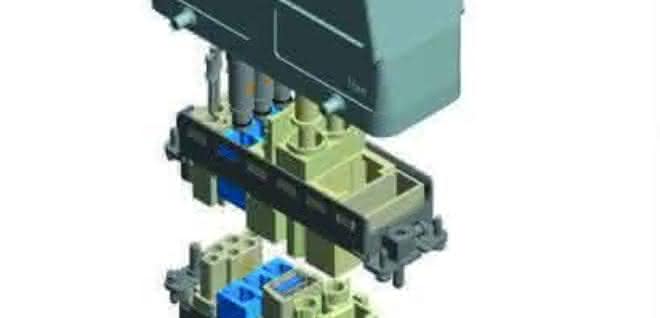
Digitalization can also make work considerably easier for the design of machines, for example via an interactive configurator for heavy-duty industrial connectors. The Han configurator from Harting is geared towards practical applications. It is designed so that users can quickly put together the necessary interfaces for their development. Three entries - number of contacts, required voltage and current - are enough to arrive at an initial solution. This can be added directly to the shopping cart or refined further. Alternatives corresponding to the requirements are suggested.
The configurator makes the subject of "connectors" easy to master - despite increasingly complex requirements and a generally high level of product diversification. The selection process remains transparent for the user despite the active support provided by the program. The current configuration can be viewed in parallel as a 3D model in a separate window. The interactive configurator communicates via 3D modeling on the one hand, and via open or closed selection options on the other. The configurator does not display components that do not match a selection that has already been made.
Users who already have article numbers or names of the products they are looking for have the option of creating their own interface in the configurator and making it manageable for further processing. They use the expert mode: starting with the selection of the housing (top/bottom) or insert (pin/socket), there are different accesses to the appropriate configuration.
The Harting configurator aims to score points for speed, flexibility and security: A long search for components and their specifications is no longer necessary. At the click of a mouse, you can access alternative interface solutions that correspond to the latest state of connector development. Each individual part is visible in the future application context, and the configurator offers solutions at all levels that match the selected components.
Once acquired, knowledge is not lost and can be easily integrated into the development processing and documentation systems. Each configuration is given its own number. This means that users can make their configurations available to each other and edit them further, for example to order the selected configuration. After completion, the technical data of the configured interface is available for download. pb


You might also be interested in
Housing and inserts for plenty of power
Lapp presented the expansion of its Epic Power series at SPS 2023: four new M23 circular connector inserts and three new M23 housings. The special feature: all housings can be combined with any of the four inserts.
 read more...
News and product updates from Smartgas
Portable gas analyzers for outdoor use
Smartgas is starting the second half of the year with a series of updates to existing products and a number of new products. Portable analyzers expand the range of applications, while new accessories such as protective housings and heating modules...
read more...Everything accurate in switch cabinet construction
To ensure smooth work processes, tools for processing enclosures and housings must function flawlessly and reliably. Häwa rounds off its punching range with the Multi-Press 500.
read more...Shafts and conversion parts
The Rodriguez range includes ball bushings including matching housings, shaft brackets, crossbars and supports.
read more...Cooling and temperature control units
Hygienic packaging sells safely
In few industries are the requirements for hygiene in the production process as strict as in the food sector - the health of consumers has top priority. This results in enormous challenges for all machines and components involved, especially in...
read more...Simple tool change in seconds
With the CMS, Schunk is launching a user-friendly, manual change system for quick component replacement. In addition to its simple and convenient operation, the CMS also stands out with its extensive range of optional modules and complementary end...
read more...Motion controller for small drives
Medium power range covered
Faulhaber has another housing-less and compact motion controller in its range, which is particularly suitable for integration in device construction and medical technology applications.
read more...Welding solutions in the name of resource efficiency
At the Welding & Cutting trade fair in Essen (September 11-15), Fronius will be focusing on the major drivers in welding technology. Quality requirements are increasing in all industries, but the required welding specialists are scarce. In...
read more...Safe solutions for cable installations
From thick power cables to thin sensor lines, cables and lines must be routed safely through systems and machines. A challenge that should not be underestimated, explains Jörg Sokat, Head of Product Management at Pflitsch.
read more...