

Robotics
The collaborative robot solution in 5 steps
Everyone talks about the simple programming of collaborative robots, but nobody gets specific. Using the e-Series, Universal Robot's latest model, as an example, we explain the most important steps in cobot programming. By Andreas Schunkert
Collaborating robots, known as cobots, have democratized automation: Thanks to them, you no longer need to be a trained expert to program a robot. This enables small and medium-sized companies in particular to enter the world of automation and thus increase their competitiveness.
But for those who have not yet jumped on the bandwagon, programming a cobot is often still a black box. People often talk about it being simple and intuitive, but it rarely gets specific. How does programming typically work? What do you need to pay attention to? We want to answer these questions here.
The programming interface of the e-Series from Universal Robots serves as an example. The model series was presented to the public for the first time last year at the Automatica trade fair and represents the current technology standard in terms of intuitive programming and safety functions.
The programming of a simple application can be divided into five successive sub-steps:
1. setting up the tool
2. the definition of the robot's waypoints and movements
3. interaction with end effectors and external devices
4. ensuring the security of the application
5. the optimization of cycle times
Step one: Set up the tool
Collaborating robots can be equipped with a variety of different tools, also known as end effectors, depending on the specific requirements - from grippers of various types to glue guns and welding equipment. For all subsequent programming steps, it is essential that the robot first knows which end effector it is working with. Three variables are crucial for this:
The Tool Center Point (TCP): The TCP is the central anchor point for the entire programming of the application. It is defined as the center between the contact points of the end effector with the workpiece. With a two-finger gripper, for example, the TCP is located in the middle between the two ends of the fingers; with end effectors with only one contact point, such as a glue gun, the only contact point is also the TCP. In the programming interface, the TCP is defined as the distance on three axes from the tool flange. If the TCP is directly perpendicular to the tool flange, as is the case with most grippers, it can simply be measured using a ruler. In more complex cases, it can be configured with little effort using the TCP setup wizard in the robot user interface.
The tool center of gravity: If you were to make a cross-section through the end effector, this would divide the end effector into two halves of exactly the same weight at a certain point - this is the tool center of gravity. In practice, however, it does not have to be elaborately measured, but can also be defined using a wizard integrated into the user interface.
The payload: The payload is the total weight of the connected end effector and any other devices attached to the tool flange, for example cameras, and is simply entered in the programming interface.
Step two: Define waypoints and movement types
Once the tool has been set up, it is time to define the waypoints. The waypoints are the individual stations that the robot moves through one after the other in each cycle of the application. Both waypoints and the movements in between are defined by the position that the TCP assumes at the corresponding point. A robot program in its simplest form consists only of various waypoints, the movements between them and certain action commands at the corresponding waypoints.
The individual waypoints can be defined in different ways depending on requirements: via manual guidance of the robot arm, control of the arm via the user interface or by entering coordinates.
There are also various options for configuring the movements between the waypoints:
The joint movement: Articulated movements are the fastest natural way of moving the robot arm between two waypoints, as the robot starts all axes simultaneously and arrives at the respective target angles with all of them at the same time. They are mainly used when it is not important which exact path is taken and when there is free space between the two waypoints. With articulated movement, the robot moves the TCP non-linearly in a parabola from waypoint to waypoint.
The linear movement: In linear motion, the TCP takes the most direct route between two waypoints - it moves linearly. A very common form of use is, for example, picking up or placing down a workpiece vertically.
The constant movement: Here, the TCP moves at a constant speed along a specified line. To maintain the constant speed, linear movements, smooth curves or circular movements are possible, but no sharp changes in direction. This type of movement is usually used for welding or gluing applications.
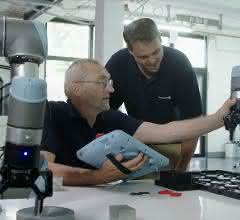
For most robot programs, different types of movement are combined with each other - for example, a linear movement to pick up the workpiece vertically and a subsequent articulated movement to transport it as quickly as possible directly over the deposit location. The combination of the two movement types ensures that the program meets the requirements of the application at the respective points - speed (articulated movement) and correct gripping of the workpiece (linear movement).
Step 3: Configure the interaction with external devices
Of course, an application does not only consist of the correct movements of the robot - the end effector should also take action at certain waypoints. The programming of the end effector is integrated into the robot's user interface and can therefore be programmed very easily as an action command at the corresponding waypoints. Important: As soon as a gripper picks up or puts down a workpiece, its payload changes - this must be taken into account in the programming at the corresponding waypoints.
It is also possible to create so-called threads. A thread is a separate program that runs parallel to the robot's main program and can be synchronized with it at certain points. For example, a thread can be used to control a conveyor belt from which the robot arm is to remove workpieces.
Step 4: Ensure safety
The application is now already functional. However, if it is to be collaborative, i.e. able to work in the immediate vicinity of people without a protective housing, a close eye must be kept on safety, which should be considered right from the start. Here too, there are various options that can be combined as required to guarantee the required level of safety and at the same time the shortest possible cycle times - the e-Series robot models have a total of 17 TÜV-certified safety functions. These are three of the most important:
Reduced mode: In reduced mode, the robot moves at low speed, which minimizes the risk of injury in the event of a collision.
The safety stop: If the safety stop is triggered, the program is interrupted and the robot comes to a standstill.
Emergency stop: In an emergency stop, the robot not only comes to a standstill, but is switched off completely. If it is to be put back into operation, it must be reinitialized and the program restarted.
The safety functions can be triggered in various ways. Common triggers are scanners or virtual levels. A scanner, for example, puts the robot into reduced mode or brings it to a complete stop as soon as a human enters a certain area. Virtual levels in free space, on the other hand, ensure that the robot does not cross them or only crosses them in reduced mode. They can be easily defined via the user interface by moving the TCP to a point on the corresponding plane and positioning the tool flange at a right angle to the desired plane.
Important here: If the robot gripper is holding a larger workpiece, it may exceed the virtual plane, as the plane only defines a limit for the TCP. However, this problem is quickly solved by creating a so-called tool sphere: a tool sphere is defined as a radius around the TCP and includes the entire workpiece - so that the robot then knows how not to exceed the virtual plane with the workpiece.
These are only selected aspects of ensuring the security of collaborative applications. In principle, each application must be considered individually. It can only be considered secure once the mandatory risk assessment, usually carried out by the system integrator or an official testing body, has been successfully completed.
Step 5: Optimize the cycle times
The final step is to shorten the robot's travel time between the waypoints in order to further optimize the application's cycle times. However, the better the application is planned, the less optimization is required in this step. It is particularly important to ensure that the optimization is completed before the risk assessment is carried out, as this becomes invalid if subsequent changes are made.
The setting of wear radii plays a key role in optimization: without them, the robot stops its movement at each waypoint for a brief moment in order to align its direction of movement with the next waypoint. By setting wear radii, the robot does not approach waypoints completely, but moves past them in a curved motion and can thus maintain a constant speed. Caution: Wrap radii are not useful or possible at every waypoint - where a robot is to pick up a workpiece vertically, for example, a wrap radius would make the application unusable.
Another way to shorten cycle times is to increase the speed of movement and acceleration. This tool should be used with care, as too high a speed can impair the safety of the application and too high an acceleration can reduce the service life of the robot joints. Therefore, wear radii should always be considered as the first option. The speed should also only be increased at selected points and not for the entire application: When picking up the workpiece, for example, a high speed is usually not expedient.
Individual solution instead of blanket prescription
Ultimately, the exact procedure for programming a robot application always depends on the individual automation requirements and the specific objective. In most cases, for example with a common pick & place application, it follows the pattern described here - but can also be completely different in individual cases. Because there is no one-size-fits-all recipe, robot manufacturers such as Universal Robots usually offer users an individual robot demo and evaluation on site, during which an initial assessment of the programming and set-up effort is also made.
The author: Andreas Schunkert, Head of Technical Support Western Europe at Universal Robots.


You might also be interested in
Hamburg Regional Court issues preliminary injunction against Elite Robots Germany
In the copyright dispute between Teradyne Robotics and Elite Robots Germany, the Hamburg Regional Court has issued an interim injunction. The distribution of the software and products concerned is prohibited, and there is also a comprehensive...
 read more...
Schunk founds tech spin-off for humanoid robot hands
Schunk is bundling its activities in humanoid robotics by founding its own spin-off at the beginning of January. The aim of the new company is to develop modular humanoid robot hands for industrial applications.
read more...Partnership for humanoid robotics
Schaeffler and Neura Robotics jointly develop humanoids
Schaeffler and Neura Robotics will work together in the future to develop and supply key components for humanoid robots. The systems will also be integrated into Schaeffler's global production network.
read more...Yaskawa at the Automatica 2025
AI meets robotics
At this year's Automatica, everything at Yaskawa revolves around AI-based robotics solutions for the smart factory and beyond. As a trade fair highlight, the manufacturer is presenting its new Motoman Next product concept.
read more...Kassow Robots at the Automatica
7-axle vehicle in action
At Automatica, Kassow Robots will be presenting a wide range of industrial applications for production and logistics tasks that provide new impetus for efficiency and flexibility in industrial automation.
read more...Robotics and automation in six exhibition halls
From June 24 to 27, 2025, Automatica, the trade fair for intelligent automation and robotics, will bring industry and research together in six exhibition halls. Preparations are in full swing.
read more...Interview with Jörg Rommelfanger
Robotics in 25 years
The annual IFR report shows that the number of industrial robots is steadily increasing worldwide. They have already played an important role in ABB's portfolio for decades. In an interview with INDUSTRIAL Production, Jörg Rommelfanger, Head of...
read more...Reliable end effector for cobots
Collaborative robots are now widely used for a wide range of handling tasks. SMC offers three versions of the RMH pneumatic gripper for this purpose; it is compatible with cobots from a total of twelve companies.
read more...7-axis cobots with controller in robot base
With the Edge Edition, Kassow Robots has launched the world's first 7-axis cobots with a controller integrated into the robot base.
read more...